Consumer Electronics
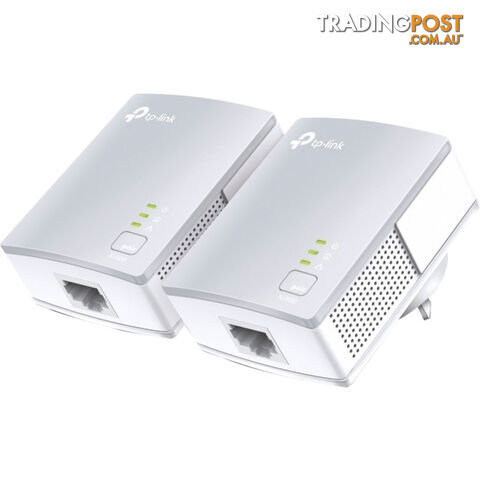
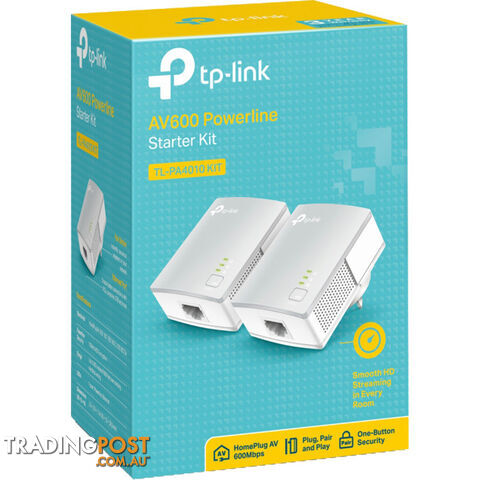
PA4010KIT 600MBPS POWERLINE ADAPTER KIT
$79
Verified seller
Description
OVERVIEW
AV600 POWERLINE STARTER KIT
HomePlug AV standard compliant, high-speed data transfer rates of up to 600Mbps1
Miniature design, smaller than most powerline adaptersat the market, blends discreetly in front of any power outlet
No new wires, Easy Plug and Play operation, No configuration required
Patented Power-Saving Mode automatically reduces powerconsumption by up to 85%2
600MBPS POWERLINE SPEEDS IDEAL FOR HD STREAMING
Using advanced Home Plug AV technology, TL-PA4010 KIT provides users with stable, high-speed data transfer rates of up to 600Mbps on a line length of up to 300 meters. With speed of up to 600Mbps,
TL-PA4010 KIT enables heavy-bandwidth applications like HDstreaming, on-line gaming and large file downloading, turning your home into a robust and high-speed networking.
MINIATURE DESIGN
With its new ultra-compact housing design, TL-PA4010 KIT is much smaller than TP-Linkâs legacy mini 600Mbps powerline products. At just 28.5mm thick, it nearly blends completely in front of any power outlet.
PAIR BUTTON FOR EASY NETWORK SECURITY
Simply by pushing the Pair button on the adapters, users can set up a hassle-free Powerline network within minutes, complete with 128-bit AES encryption for network security and data protection.
It's that simple!
1. Plug the adapter into the power outlet
2. Connect the device via the network cable to the adapter
3. Press the pair buttons?and you're done!
SPECIFICATIONS
HARDWARE FEATURES Plug Type: AU Standards and Protocols: HomePlug AV, IEEE802.3, IEEE802.3u Interface: 1 x 10/100Mbps Ethernet Port Button: Pair Button Power Consumption: Maximum: 4.60W (220V/50Hz) Typical: 4.26W (220V/50Hz) Standby: 0.88W (220V/50Hz) LED Indicator: PWR, PLC, ETH Dimensions (W x D x H): 2.6 x 2.0 x 1.1 in.(65Ã52Ã28.5mm) Range: 300M in house SOFTWARE FEATURES Modulation Technology: OFDM Encryption: 128-bit AES Encryption OTHERS Certification: CE, FCC, RoHS Package Contents: Powerline Ethernet Adapter Ethernet cable (RJ45) Resource CD, Quick Installation Guide System Requirements: Windows 8/7/Vista/XP/2000, Mac, Linux Environment: Operating Temperature: 0~40 (32~104) Storage Temperature: -40~70 (-40~158) Operating Humidity: 10%~90% non-condensing Storage Humidity: 5%~90% non-condensing
FAQS
<2018>How to enable/disable power saving mode on powerline adapters? <1616>How to set a new powerline network name using tpPLC Utility (new logo)? <1615>How to add a device to the network using tpPLC Utility (new logo)? <1614>How to update the firmware using tpPLC Utility (new logo)? <1613>How to set up QoS using tpPLC Utility (new logo)? <1612>How to reset a device using tpPLC Utility (new logo)? <1610>How to turn on or off the LEDs on devices using tpPLC Utility (new logo)? <1609>How to rename a device on tpPLC Utility (newlogo)? <1608>How to prepare for using the tpPLC Utility (new logo)? <1091>How to update the firmware using the tpPLC Utility on Windows? <1090>How to set a new Powerline Network Name to secure your whole Powerline network using the tpPLC Utility on Windows? <1086>How to prepare for using the tpPLC Utility on Windows(Blue UI)? <601>How to Reset the Powerline Adapters to Factory Defaults? <549>What can i do if PLC utility for Windows cannot be installed on Windows 8.1? <434>How many Powerline adapters can be added to the same network? <433>Can several Powerline networks exist simultaneously in same power circuit? <432>What do TP-Link Powerline adapterâs LED lights stand for? <406>Most frequent questions about TP-Link Powerline adapters <405>How to upgrade TP-Link Powerline Adapters? <392>What can I do if I can't have Internet connection after connected to powerline adapter? <321>Why canât the Powerline Adapter be detected by the others? <320>How to Leave a Powerline network by Pair Button? <319>How to add an extra powerline adapter to theexisting poweline network with pair button? <312>How to Reset the Powerline Adapter to Factory Default? <259>How to configure TP-Link Powerline utility to secure my power line network? <258>How to secure (pair) the Powerline Network?
DOWNLOADS
Datasheet PDF file
User Guide PDF file
Installation Guide PDF file
Weight: 0.3900 kg
Barcode Number: 6935364031985
$79
Your message is on its way
The seller will be in touch. We monitor all messages to help keep buyers and sellers safe.
Stay safe: buyer safety tips
T
Tradingpost sellerVerifiedVerified Tradingpost seller
You may also like
 Cameras
$60$19 less
Vintage Kodak Cameo Focus Free 35mm Viewfinder Camera
 Consumer Electronics
$1,154$1,075 more
Klipsch RP-600M II Bookshelf Speakers - BLACK FRIDAY SALE
 Amplifiers
$2,995$2,916 more
Rotel RC1572 MKII Preamplifier & RB1552 MKII Power Amplifier Combo
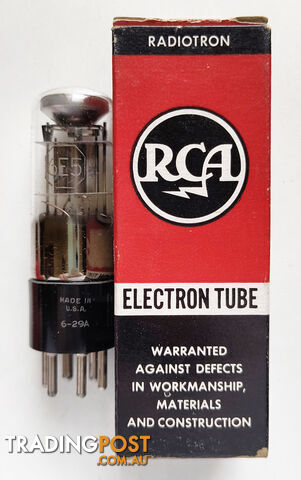 Electronic Components
$55$24 less
Vintage 6E5 Magic Eye Vacuum Tube/Valve - New Old Stock
 Cameras Accessories
$45$34 less
Vintage Sunpak auto26SR Electronic Flash
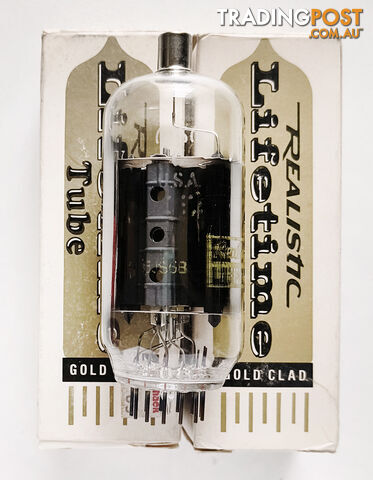 Electronic Components
$40$39 less
Vintage Realistic 6JS6B Beam Power Pentode Vacuum Tube/Valve - New Old Stock
 Cameras Accessories
$115$36 more
Vintage Pentax Auto-Takumar 55mm/f1.8 M42 Mount Standard Prime Lens
 Scooters and Mobility
$5,000$4,921 more
Scooter -Afikim Aftiscooter S - Dual seat
 Amplifiers
$6,995$6,916 more
Hegel H200 Integrated Streaming Amplifier
 Consumer Electronics
$2,000$1,921 more
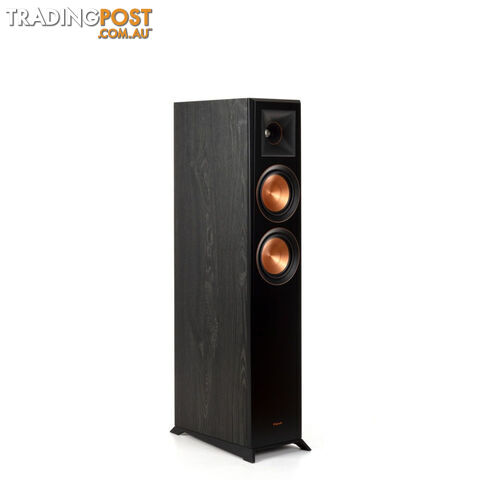
Klipsch RP-5000F MKII Floor Standing Speakers - BLACK FRIDAY SALE

Message seller
About PA4010KIT 600MBPS POWERLINE ADAPTER KIT
Report this ad
Tell us what's wrong with this listing.